
A customer opens your ecommerce store, waits for the product image to appear, taps a category filter, and the page suddenly stops responding. Before the products even load properly, the customer may already be considering another store.
This is why core web vitals ecommerce optimization matters. It helps online stores measure three important parts of the customer experience: loading performance, responsiveness, and visual stability.
Google measures these through Largest Contentful Paint (LCP), Interaction to Next Paint (INP), and Cumulative Layout Shift (CLS).
For ecommerce businesses, the best approach is to identify the biggest performance problems first, then fix them in order of priority. Here is how to understand the three metrics and choose improvements that make a practical difference.
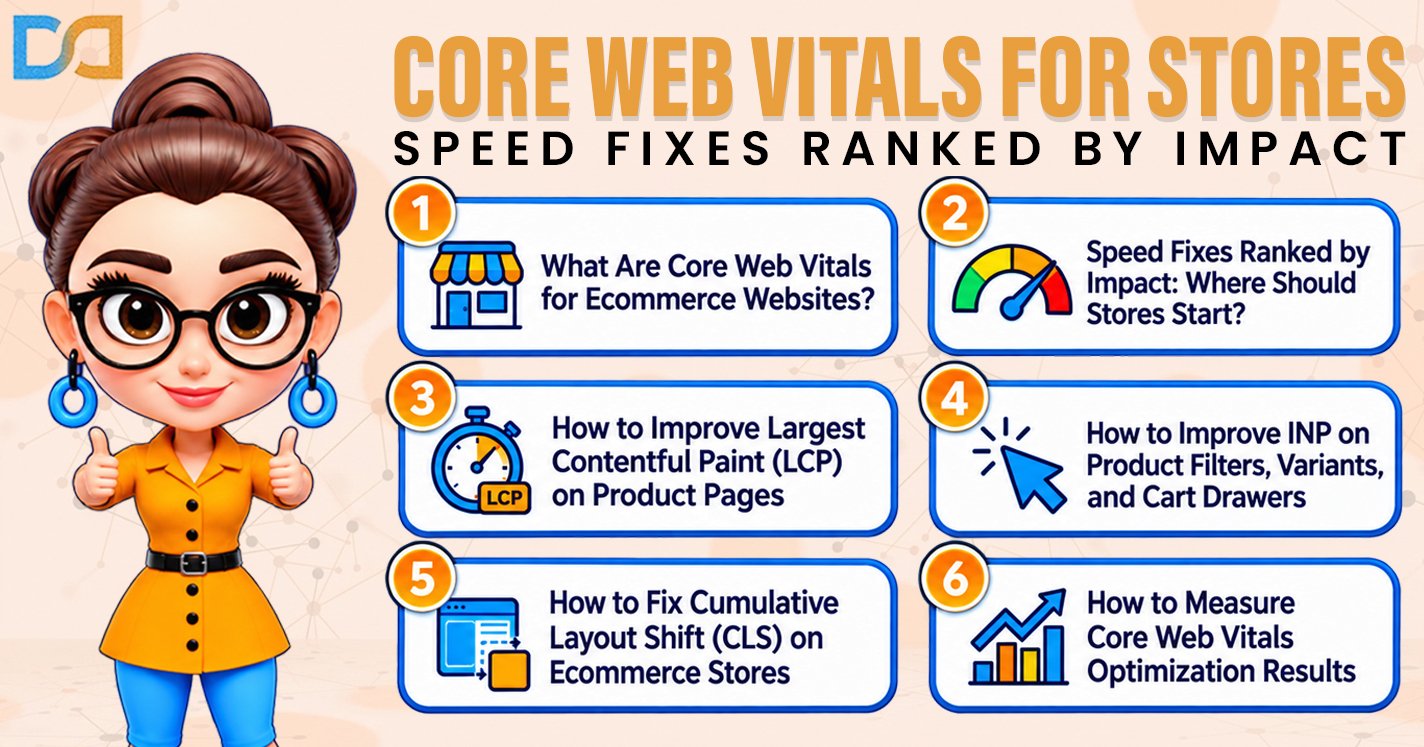
1. What Are Core Web Vitals for Ecommerce Websites?
Core Web Vitals are three Google performance metrics that measure how quickly a page displays its main content, responds to interactions, and maintains a stable layout.
| Metric | What it measures | Good target |
| LCP | Main content loading speed | 2.5 seconds or less |
| INP | Responsiveness to interactions | 200 milliseconds or less |
| CLS | Unexpected layout movement | 0.1 or less |
Google evaluates these thresholds at the 75th percentile of real-user experiences, with mobile and desktop assessed separately.
For an ecommerce store:
- LCP: How quickly the main product image or category banner appears.
- INP: How quickly product filters, variant selectors, and cart buttons respond.
- CLS: Whether product information, prices, banners, and purchase buttons unexpectedly move while loading.
Google uses Core Web Vitals in its ranking systems, but good scores do not guarantee higher rankings. Relevant content and overall page experience remain important.
See Google’s official Core Web Vitals documentation.
2. Speed Fixes Ranked by Impact: Where Should Stores Start?
The most effective ecommerce website speed optimization strategy starts with the biggest measured bottlenecks rather than applying random technical changes.
The following priorities are ordered by how commonly these problems affect ecommerce stores, not by a guaranteed improvement for every website. Check your own performance data first.
| Priority | Speed fix | Main metric |
| 1 | Optimize main product and banner images | LCP |
| 2 | Reduce unnecessary JavaScript | INP |
| 3 | Reserve space for images and dynamic content | CLS |
| 4 | Improve server response, caching, and CDN delivery | LCP |
| 5 | Remove unnecessary apps, plugins, and design elements | LCP / INP / CLS |
Priority 1: Optimize main images. Compress product photographs, serve appropriate image dimensions, and avoid lazy-loading the main above-the-fold LCP image.
Priority 2: Reduce JavaScript. Remove unnecessary scripts, review expensive event handlers, and defer nonessential third-party functionality.
Priority 3: Prevent layout shifts. Set image dimensions and reserve space for banners, advertisements, and externally loaded widgets.
Priority 4: Improve infrastructure. Review hosting performance, server response times, caching, and content delivery networks. A CDN can help deliver static resources more efficiently to customers in different markets.
Priority 5: Review unnecessary applications. Ecommerce themes, plugins, analytics tools, review widgets, and promotional applications can introduce additional scripts and styling. Remove tools that provide little business value, but test checkout and essential store functionality before and after changes.
3. How to Improve Largest Contentful Paint (LCP) on Product Pages
Largest Contentful Paint optimization focuses on making the largest visible content appear faster, often the main product image, promotional banner, or prominent heading.
Start by identifying the actual LCP element using PageSpeed Insights or Chrome DevTools.
Then investigate these common causes:
- Oversized images: Serve appropriately sized WebP or AVIF images without sacrificing important product details.
- Slow server response: Review hosting performance, caching, database queries, and time to first byte.
- Delayed image discovery: Make important image resources discoverable in the initial HTML rather than loading them only through delayed JavaScript.
- Render-blocking resources: Review CSS and JavaScript that prevent the browser from displaying important content.
- Incorrect lazy loading: Avoid applying lazy loading to the main image that determines LCP.
For example, an exporter selling products to international buyers may display a large product photograph on its landing page. If that photograph loads slowly, visitors may see an incomplete product area even when the rest of the page is technically loading.
Read Google’s Largest Contentful Paint optimization guide.
4. How to Improve INP on Product Filters, Variants, and Cart Drawers
Interaction to Next Paint measures how quickly a page responds visually after user interactions, making it especially important for ecommerce features that depend on JavaScript.
INP replaced First Input Delay (FID) as a Core Web Vital on March 12, 2024. Unlike FID, INP evaluates the responsiveness of interactions throughout a page visit rather than focusing only on the initial input delay.
Consider a shopper selecting a different product size, applying a price filter, or opening a cart drawer. If the browser becomes busy processing JavaScript, the interface may not respond promptly.
To improve INP:
Break up long JavaScript tasks: Large scripts can block the browser’s main thread. Split expensive work into smaller tasks so the browser has opportunities to respond to user input.
Optimize interaction handlers: Review code triggered by product filters, variant selectors, and cart buttons. Avoid unnecessary calculations and repeated rendering.
Reduce third-party scripts: Chat widgets, analytics tags, advertising tools, and recommendation applications can compete for processing time. Keep only necessary scripts and load nonessential tools strategically.
Provide immediate visual feedback: Buttons and controls should communicate that an interaction has started while more demanding work continues.
Use Chrome DevTools Performance traces to investigate long tasks and identify scripts causing delays.
Google’s INP optimization guide explains how to investigate and improve responsiveness.
5. How to Fix Cumulative Layout Shift (CLS) on Ecommerce Stores
Cumulative Layout Shift measures unexpected movement of visible page elements, which can make shopping frustrating and lead to accidental interactions.
Imagine a shopper preparing to select a product size. A promotional banner suddenly loads above the product information, pushing the variant selector downward just as the customer taps it.
To reduce CLS:
- Specify image width and height or reserve space using CSS aspect ratios.
- Allocate space for promotional banners and advertisements before they load.
- Avoid inserting dynamic content above existing page elements.
- Use suitable font-loading strategies to reduce text movement.
- Reserve space for reviews, recommendations, and externally loaded widgets.
Do not remove useful product information simply to improve a score. The goal is to make the shopping experience predictable.
Read Google’s CLS optimization guide.
6. How to Measure Core Web Vitals Optimization Results
A proper Core Web Vitals optimization process uses real-user performance data alongside controlled testing to identify problems and verify improvements.
Use these tools:
Google PageSpeed Insights: Provides real-user field data from the Chrome UX Report (CrUX), where available, and Lighthouse lab diagnostics.
Google Search Console: Its Core Web Vitals report helps identify groups of pages with performance problems.
Chrome DevTools: Helps developers investigate individual performance bottlenecks and slow interactions.
Test representative store templates, including the homepage, product categories, product pages, filtered results, cart, and checkout.
For exporters, testing also matters across the countries they serve. Buyers in the USA and UK may experience different network conditions and content delivery performance. This is an important consideration within a broader ecommerce SEO for exporters strategy.
You can also review Digi Alp guide to collection page SEO for additional ecommerce category-page optimization guidance.
Remember that PageSpeed Insights field data represents a rolling 28-day period, so improvements may not immediately appear in real-user reports.
Digi Alp search engine optimization services can support technical audits, website performance reviews, and ongoing search optimization.
Conclusion: Prioritize Core Web Vitals Ecommerce Fixes With Real Data
Improving Core Web Vitals is not about achieving a perfect Lighthouse score. It is about making important ecommerce pages faster, more responsive, and easier to use.
A practical core web vitals ecommerce strategy starts with the main product image, reduces unnecessary JavaScript, prevents layout shifts, and improves infrastructure where testing identifies a bottleneck.
Prioritize improvements using real-user data rather than applying every optimization technique blindly.
Frequently Asked Questions
What are the three Core Web Vitals for ecommerce?
The three metrics are Largest Contentful Paint (LCP), Interaction to Next Paint (INP), and Cumulative Layout Shift (CLS). They measure loading performance, responsiveness, and visual stability.
Do Core Web Vitals affect ecommerce rankings?
Google’s ranking systems use Core Web Vitals, but good scores do not guarantee higher rankings. Relevant content, technical accessibility, and overall page experience remain important.
What is a good LCP score for an ecommerce website?
Google recommends an LCP of 2.5 seconds or less for at least 75% of page visits. Review the measurement separately for mobile and desktop users.
Why is INP important for online stores?
INP measures how quickly pages respond to user interactions. It matters when shoppers use product filters, select variants, update quantities, or interact with cart drawers.
How can I improve ecommerce website speed quickly?
Start by identifying oversized or delayed main images, unnecessary JavaScript, and layout shifts. Then investigate caching, server response, and third-party applications. The best first fix depends on the actual bottleneck.
Want to identify what is slowing down your ecommerce store?
Digi Alp helps ecommerce businesses identify technical SEO problems, improve website performance, and strengthen organic visibility across target markets. Request an Ecommerce SEO Audit to identify performance issues and prioritize improvements that matter to your store.
Book a consultation